
Fender Tone Master Pro 1.8.87 Fixes Virtual Capo’s Upward Shifts
If you use Virtual Capo to take a song up a key, start your next rehearsal with a tuner. Fender’s November 23 Tone Master Pro firmware, version 1.8.87, fixes a one-semitone error in the upward settings of the previous public beta. The release notes list +1 through +OCT as affected.
The November 18 update, 1.8.85, was the bigger overhaul: it rebuilt the polyphonic pitch shifter, kept the one-octave range in either direction, and removed the old Resolution and Tracking controls. If you tried both betas, that distinction matters. One changed the effect; the next fixed the notes it was supposed to hit.
Guitar-Rigs may earn a commission if you buy through the Reverb links in this article.

Check the pitch before judging the sound
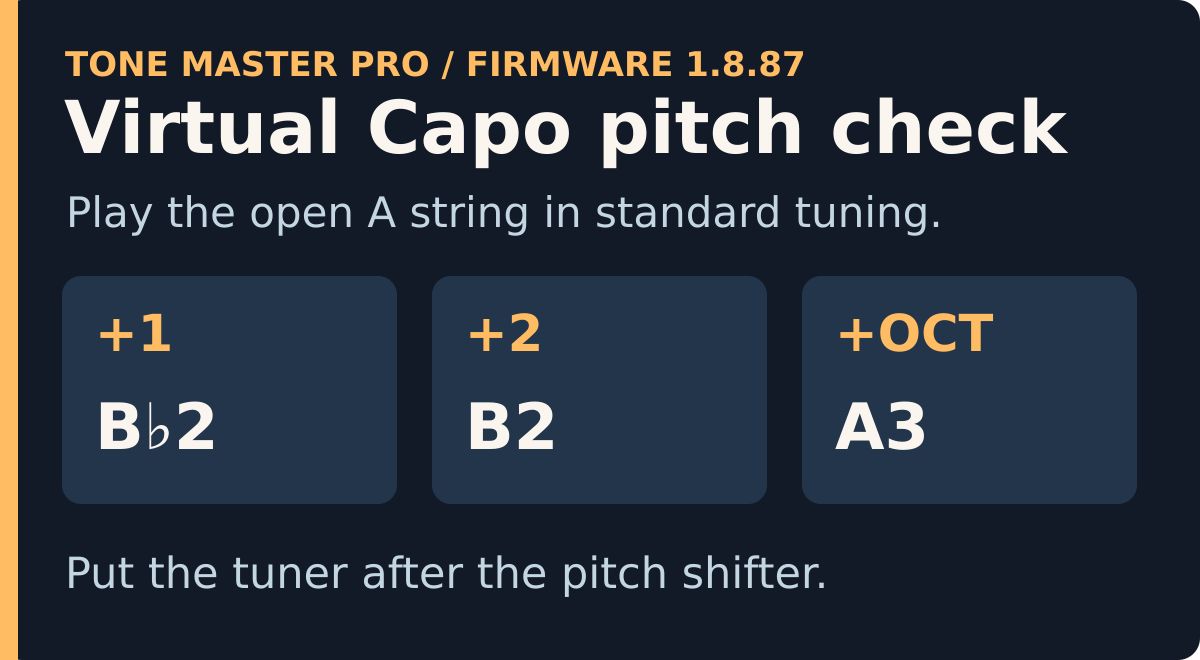
Back up the floor unit and follow Fender’s update instructions. Then duplicate a clean preset and play an open A in standard tuning. With Virtual Capo set to +1, a chromatic tuner listening to the processed output should read B-flat or A-sharp. At +2 it should read B. At +OCT it should land on A an octave higher. Put the tuner after the effect, and use a tuner that shows the octave or compare against the A at the 12th fret.
Then play the part you’ll actually use onstage. Let a chord ring, try a palm-muted phrase, and listen to the start of each note. Headphones or a recording will keep the unplugged strings out of the comparison. Virtual Capo shifts all six strings together, so it won’t give you drop D while leaving the other five strings alone.
Run through one song in your setlist
Fender’s November 18 notes also describe a Scene footswitch fix. Some older switches may need to be reassigned once. Pick a song with more than one Scene, confirm what each switch calls up, then repeat the check after editing a Scene. If you used Lightyear Overdrive, look for it under its licensed name, Greer Amps Lightspeed.
Fender’s Tone Master Pro Firmware and Pro Control App Updates guide lists the matching Pro Control builds. The app is optional for installing the firmware, but if you use it to manage the floor unit, keep its version matched to the firmware.
